| |
 Video Conferencing Products Video Conferencing Products |
|
|
| |
|
| |
Polycom® People On Content™ |
| |
- Capture audience attention and increase retention
- Explain key elements of the presentation more clearly
- Delivers greater impact with every training, presentation, or remote conference
|
|
| |
Polycom People On Content™ Solutions |
| |
People on Content, an option that is available on the Polycom HDX Series of video conferencing solutions, enhances any presentation for both remote and local participants. Click here to learn more about how People On Content can benefit your organization. |
| |
Product Description |
| |
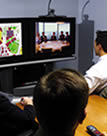
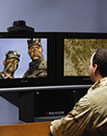
Just like the TV weatherman, presenters can now step inside their presentation while talking directly to the people in a video call, giving the illusion they are "on location" or are a part of their presentation. Presenters can have anything from movie clips to detailed pictures to CAD drawings as their background. Any video source connected to the HDX system (camera, DVD player, document camera, etc.) can provide the background content for the speaker.
People On Content from Polycom uses chroma key technology to bring innovation and creativity to any training, presentation or remote video conference.
The chroma key technology that enables People On Contentis simple to use and set up. The remote participants can receive People On Content from any ISDN or IP video conferencing system and will see both the presenter and their content on a single screen.
Uses for People On Content are only limited by the presenter's imagination! Be part of a space shuttle launch, travel through time and visit dinosaurs, go underwater and explore sea creatures, get close enough to masterpieces of art that brush strokes, lines and details can be touched and explored. For more examples and simple instructions for People On Content, see the Related Links above.
Use People On Content to make your meetings and trainings more effective!
Sample Industries include: |
| |
|
| |
|
| |
|
|
|
|
| |
|
Doctor places an x-ray or MRI on a document camera (or as an image on his/her PC) , pointing out areas of concern or interest during a remote consultation
Medical staff creates engaging presentations enabling them to "interact" with their materials for instruction, hospital updates or to pass on critical information
Trainers turn boring, mandatory training into an interesting and interactive presentation – guaranteeing audience participation and retention
Rotating speakers in a medical conference put their name, specialty, contact information, and more, right behind them on-screen – displaying pertinent information simply and easily to local and remote participants |
| |
|
| |
|
| |
|
|
|
|
| |
|
CEO puts a picture of the Salesperson of the Year behind him while presenting their award
Manager puts a picture of a remote office (or their city) behind her, thereby creating comradeship with off-site employees
Sales manager puts a live motion clip showing the sales team where the top performers will be sent on a company-paid trip
C-level executives create an interactive slide show for investors, emphasizing the organization's successes and performance during the annual shareholders' meeting (which could be recorded and played back on-demand) |
| |
|
|
| |
|
| |
|
|
|
|
| |
|
Art teacher puts a piece of art behind him to instruct students on brush strokes, techniques or specific details in the piece of work
Science teachers put a frog's anatomy behind them to gesture to different organs, bones, etc. during a class where there are local and remote students participating
Social studies teacher puts a video clip of the latest space shuttle launch behind him to discuss recent world events. |
| |
|
|
| |
|
| |
|
|
|
|
| |
|
Presenter puts a detailed map of a military installation behind him, easily pointing out critical elements
Trainers use People On Content to show a new vehicle design in 3-D animation, easily pointing to important safety features and unique design elements of the vehicle
First responders use live footage of a disaster to show the stages of a rescue operation during a multipoint video call with co-workers |
| |
|
|
| |
|
| |
|
|
|
|
| |
|
Web designers show a detailed flash to their customer, easily pointing and referring to details and transitions as the flash is playing behind them
Designers create a lively and interactive web presentation by putting different backgrounds behind actors, saving valuable time and resources
A commercial is created by showing different locations of a company behind its CEO, sending the message "we are here with you to meet your needs" |
| |
|
|
| |
|
|